![Smoothx_Logo_FC_White_RGB.png]](https://support.smoothx.com/hs-fs/hubfs/Smoothx_Logo_FC_White_RGB.png?height=20&name=Smoothx_Logo_FC_White_RGB.png)
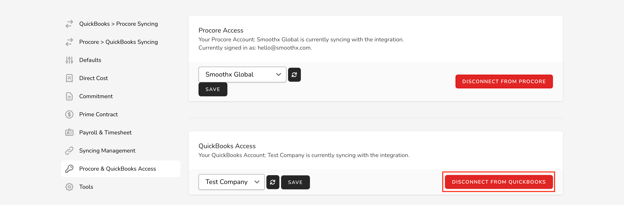
To disconnect your QuickBooks Online account from your Smoothx integration, go to Settings -> Procore & QuickBooks Access, then click the Disconnect From QuickBooks button:
To disconnect your QuickBooks Online account from your Smoothx integration, go to Settings -> Procore & QuickBooks Access, then click the Disconnect From QuickBooks button: