![Smoothx_Logo_FC_White_RGB.png]](https://support.smoothx.com/hs-fs/hubfs/Smoothx_Logo_FC_White_RGB.png?height=20&name=Smoothx_Logo_FC_White_RGB.png)
ProScan+ Dashboard
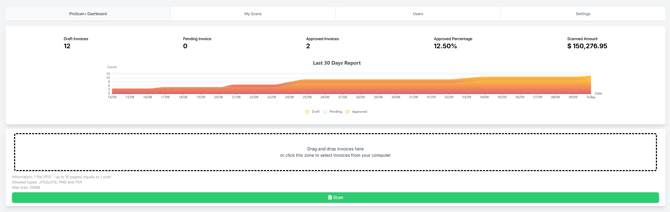
The ProScan+ Dashboard provides a snapshot of the current volumn and costs of invoices being processed.
You can drag and drop, or select from your local computer to scan invoices.
Note: The last 30 days of data is displayed
- Log in to your ProScan+ account - https://tools.smoothx.com/
- Navigate to ProScan+ Dashboard
Drag and Drop Invoice
You can drag and drop invoices or select invoices from your computer. Simply click inside the dotte box.
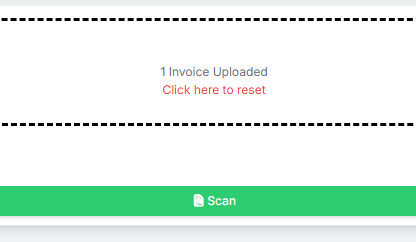
- Select the invoice file to be scanned
- Click Scan
File Format
1 file (PDF - up to 10 pages) equals to 1 scan
Allowed types: JPEG/JPG, PNG and PDF
Max size: 20MB