![Smoothx_Logo_FC_White_RGB.png]](https://support.smoothx.com/hs-fs/hubfs/Smoothx_Logo_FC_White_RGB.png?height=20&name=Smoothx_Logo_FC_White_RGB.png)
Please contact Smoothx Support if you require further assistance
Issue - Unable to access or view scans in MyScans
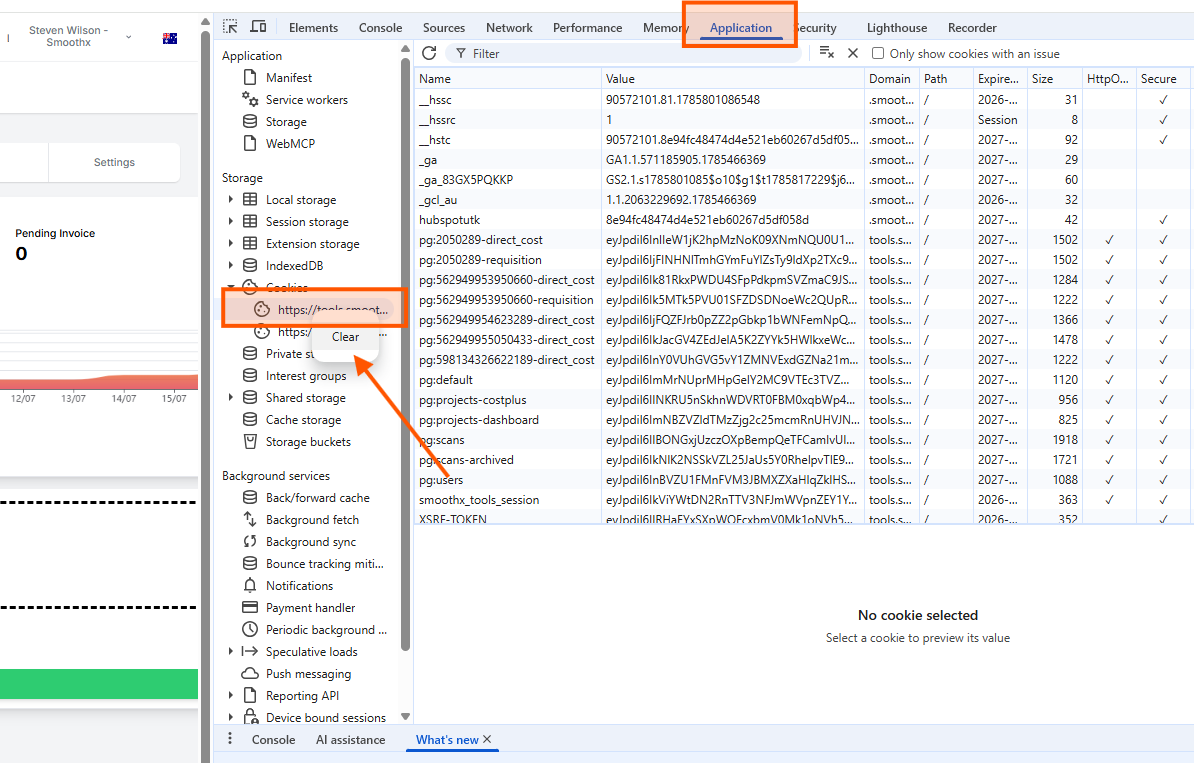
The issue is related to a cookie interfering with the filters. Below are instructions on how to remove the relevant cookie.
- Right click in ProScan+
- Select Inspect
- Select Application menu
- Select Cookies folder
- Select https://tool.smoothx.com
- Clear All