![Smoothx_Logo_FC_White_RGB.png]](https://support.smoothx.com/hs-fs/hubfs/Smoothx_Logo_FC_White_RGB.png?height=20&name=Smoothx_Logo_FC_White_RGB.png)
Assign to can be used when using ProScan+ Approvals Workflows
How to assign a scan to user(s)
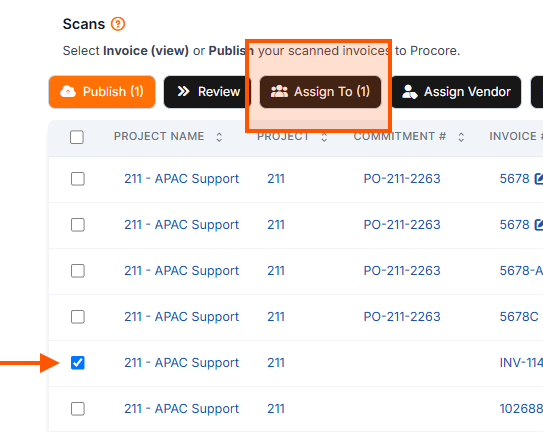
From My Scans
- Go to My Scans
- Tick the selected scans
- Click Assign To
- Select one or more user name (Select All)
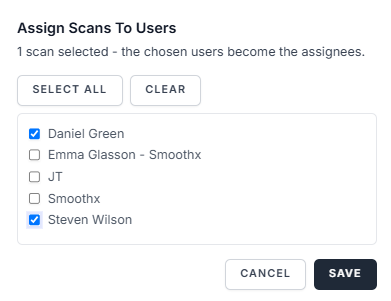
- Click Save
From Scan Page
- Go to My Scans
- Open the selected scan
- Click the Assign To button
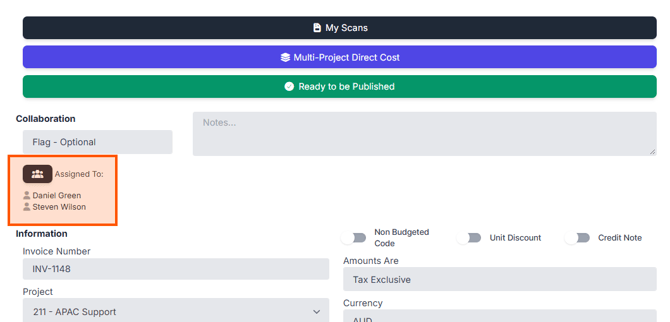
- Select one or more user name (Select All)
- Click Save