![Smoothx_Logo_FC_White_RGB.png]](https://support.smoothx.com/hs-fs/hubfs/Smoothx_Logo_FC_White_RGB.png?height=20&name=Smoothx_Logo_FC_White_RGB.png)
Set the default Procore status applied to new scans in ProScan+.
You can have different default statuses for Direct Costs and Progress Claims.
Progress Claim (Purchse Order/Sub Contract)
- Draft
- Under Review
- Revise And Resubmit
- Pending Owner Approval
- Approved
- Approved As Noted
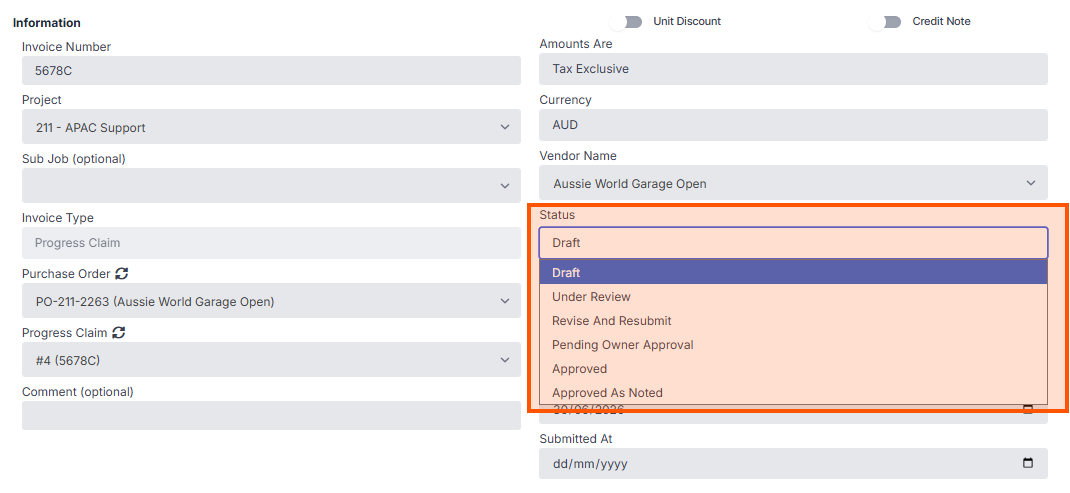
Procore Progress Claim Workflows: Recommended to use the Under Review status. This will automate the workflow trigger in Procore.
Direct Costs
- Draft
- Pending
- Revise And Resubmit
- Approved
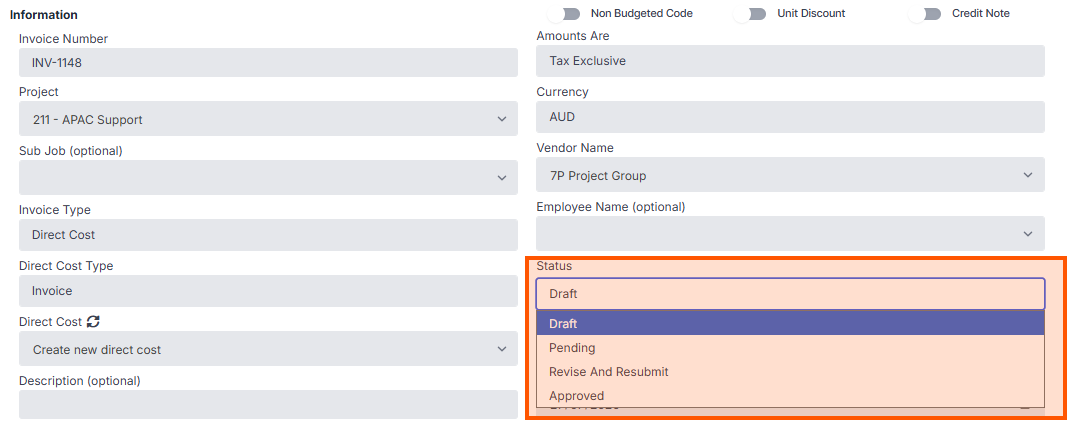
How to set default Procore statuses (Admin User Only)
- Open Smoothx Tools and select ProScan+
- Navigate to the Settings menu and click the General tab.

- Scroll down to the Default Status Direct Cost & Default Status Progress Claim
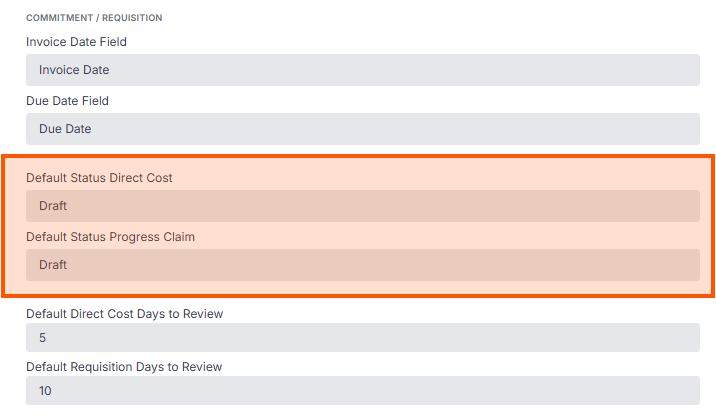
- Select the applicable stauts
- Click Save