![Smoothx_Logo_FC_White_RGB.png]](https://support.smoothx.com/hs-fs/hubfs/Smoothx_Logo_FC_White_RGB.png?height=20&name=Smoothx_Logo_FC_White_RGB.png)
When processing invoices in ProScan+, you can view the published invoice directly within Procore using the View option.
Viewing is limited to Published scans
How to View a Scan in Procore
- Open Smoothx Tools and select ProScan+
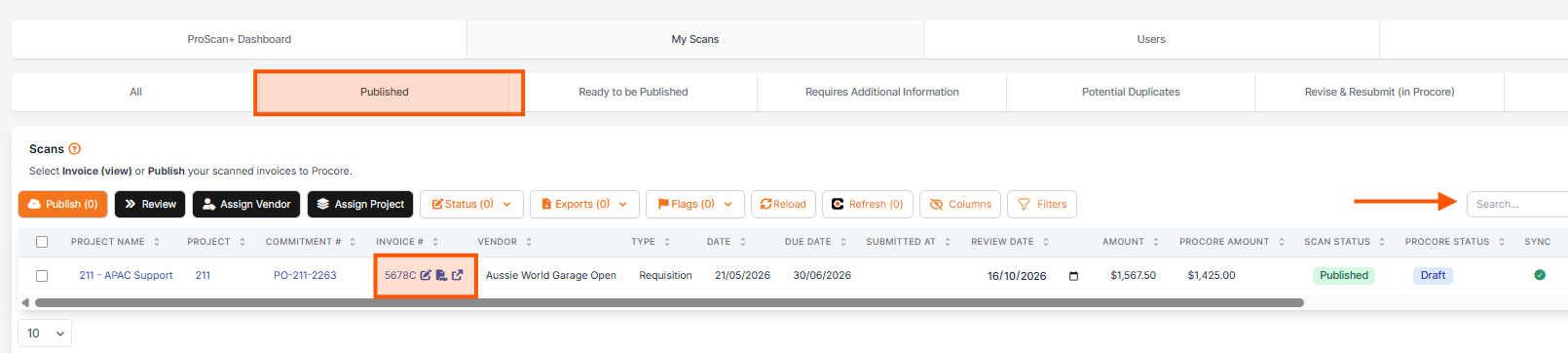
- Navigate to My Scans or the Archive Folder from the main menu.
- Apply the Published filter
- Locate the invoice/scan you wish to view (use the Search field to find the invoice easily).
- Open the Scan
- Scroll down and click View
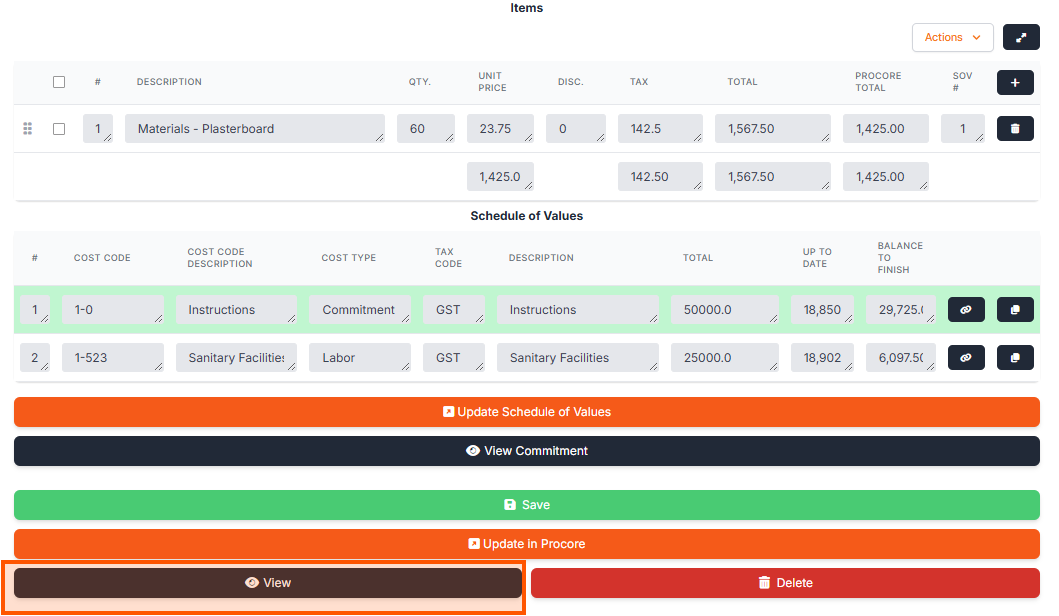
For Commitment/ Purchase Order claims you can also click View Commitment.
This will take you to the main Purchase Order or Sub Contract.