![Smoothx_Logo_FC_White_RGB.png]](https://support.smoothx.com/hs-fs/hubfs/Smoothx_Logo_FC_White_RGB.png?height=20&name=Smoothx_Logo_FC_White_RGB.png)
Here are some instructions to help manage your Smoothx Tools Profile settings.
- Access Profile Settings
- Profile Information
- Update Password
- Two-Factor Authentication
- Browser Sessions
- Delete Account
NOTE: Please contact the Smoothx Support team if you are not able to access Smoothx.
Email: support@smoothx.com
Phone:
AUS/NZ +61 7 5345 6015
Canada +1 647 691 0658
UK +44 20 4586 0756
USA +1 628 213 7639
Access Profile Settings
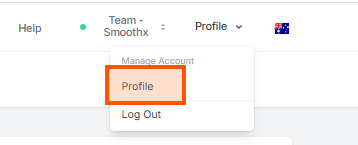
- Login to your Smoothx Integration
- Navigate to Profile settings
- Select Profile menu
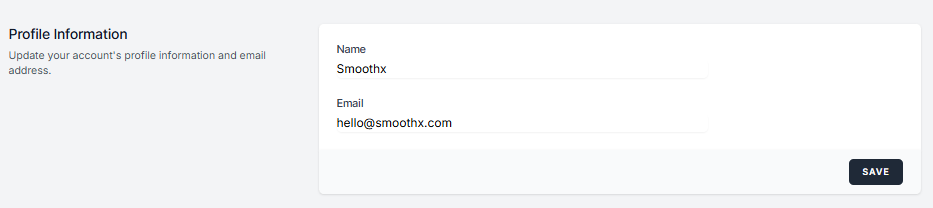
Profile Information
Update your profile information. You can:
- Edit the Name (company name)
- Edit the Email address (Smoothx Tools Owner)
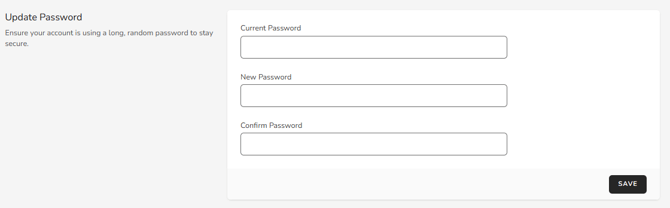
Update Your Password
You can amend and update your Smooths Integration password.
Enter the current password, followed by the new password.
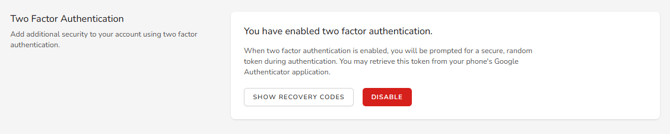
Two-Factor Authentication
Add additional security to your account using two-factor authentication.
Browser Sessions
Manage and log out your active sessions on other browsers and devices.

Delete Account
Permanently delete you Smoothx Tools Account.
