![Smoothx_Logo_FC_White_RGB.png]](https://support.smoothx.com/hs-fs/hubfs/Smoothx_Logo_FC_White_RGB.png?height=20&name=Smoothx_Logo_FC_White_RGB.png)
If you delete an invoice/claims that has been published to Procore, ProScan+ will keep a record of the deleted invoice/claim for future reference.
Deleted (in Procore) Status
You can filter My Scans using the "Deleted (in Procore)" shortcut to view published invoices now deleted in Procore.
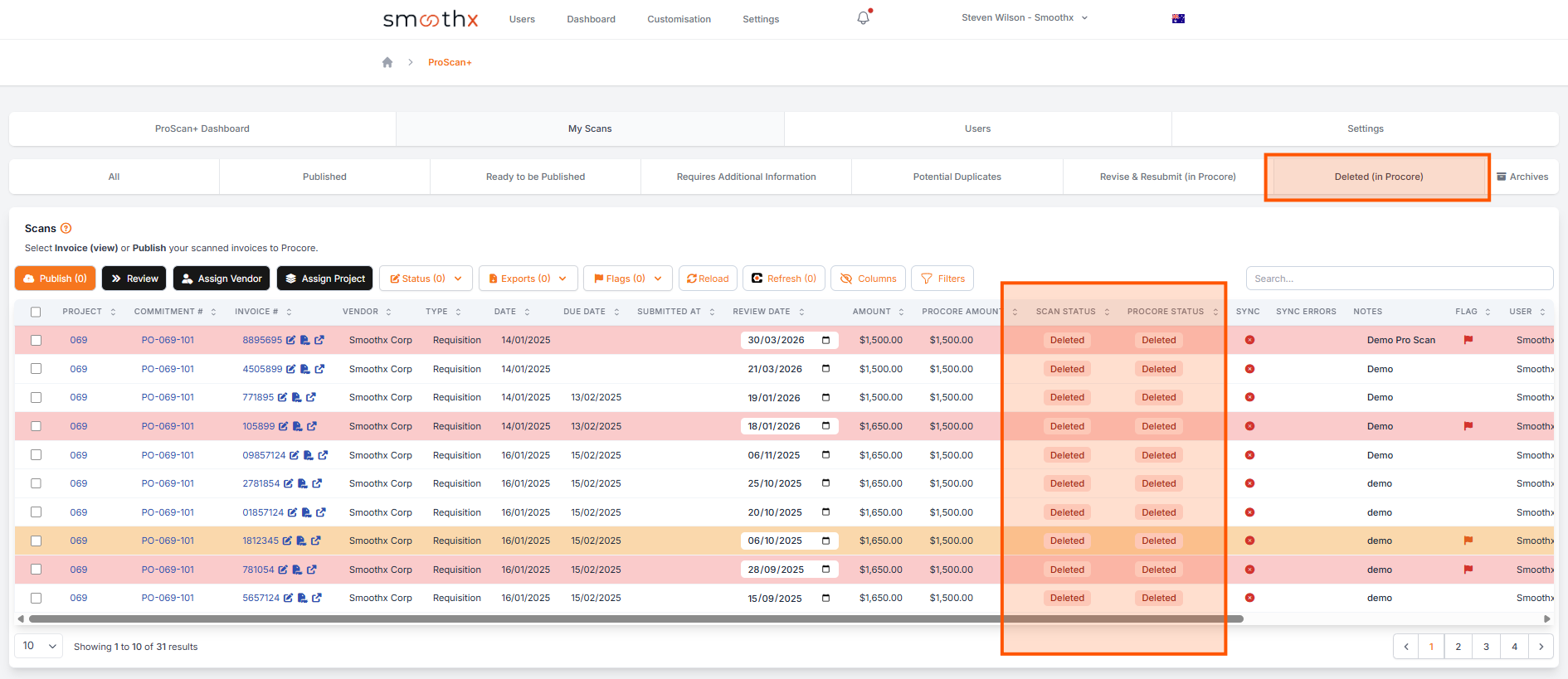
These deleted invoices can then be either republished to Procore or deleted/archived and moved to the Archive Folder.
NOTE: ProScan+ keeps a permanent record of all scans captured.
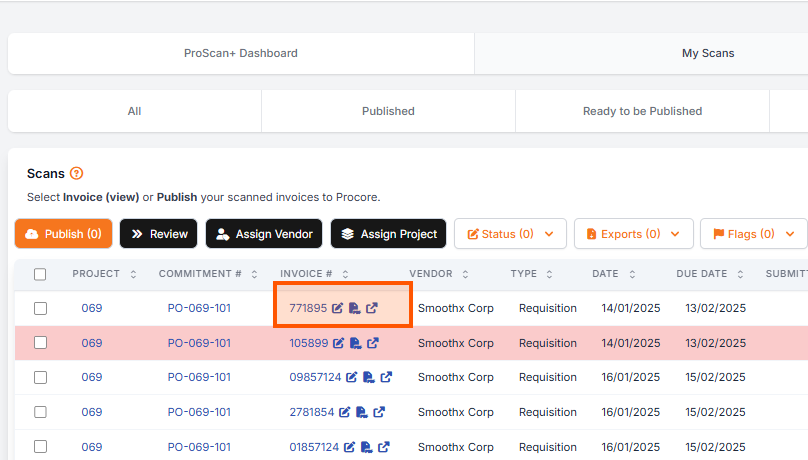
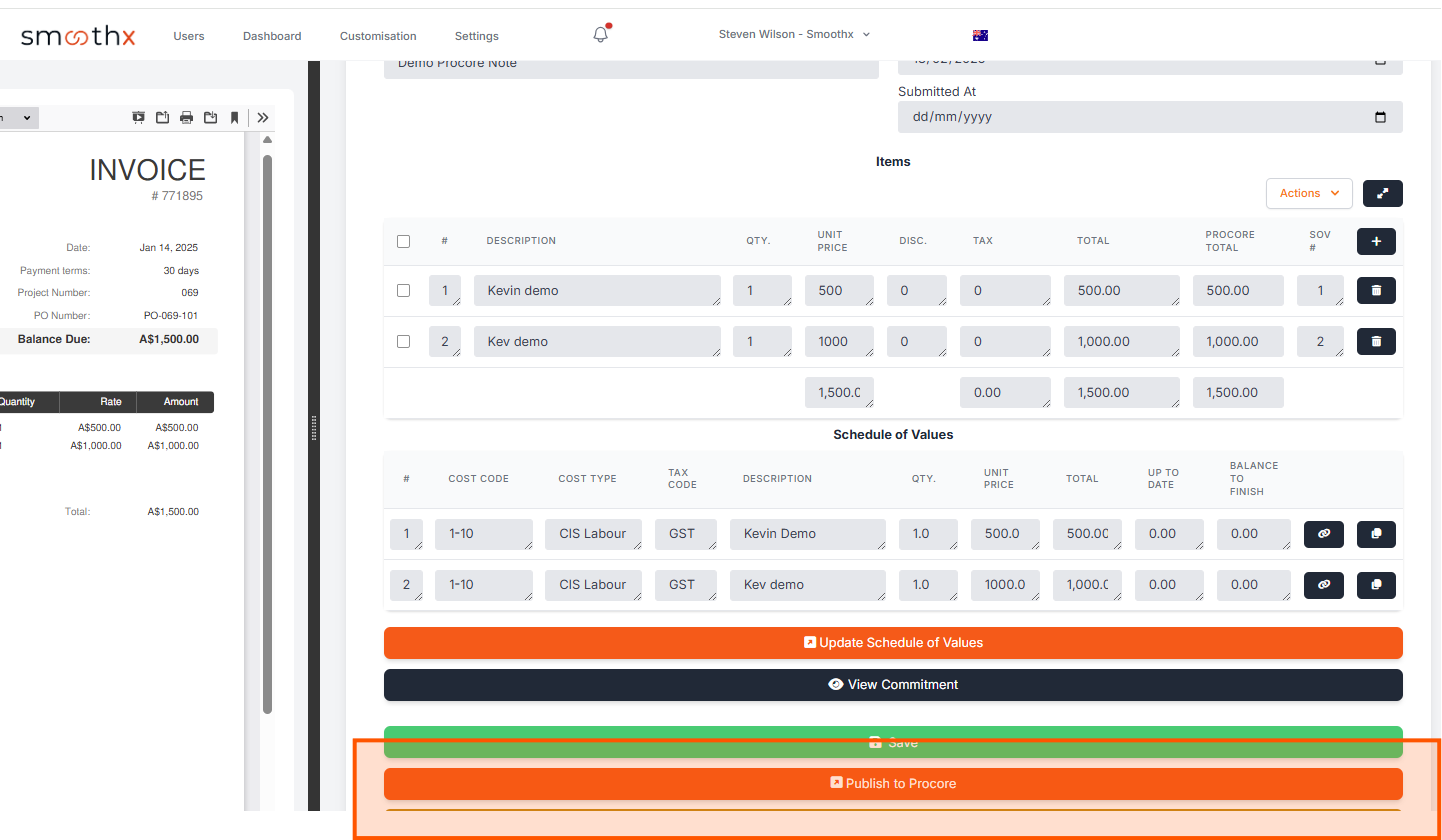
Republishing a Scan
Archive or Delete a Scan (Move to Archive Folder)
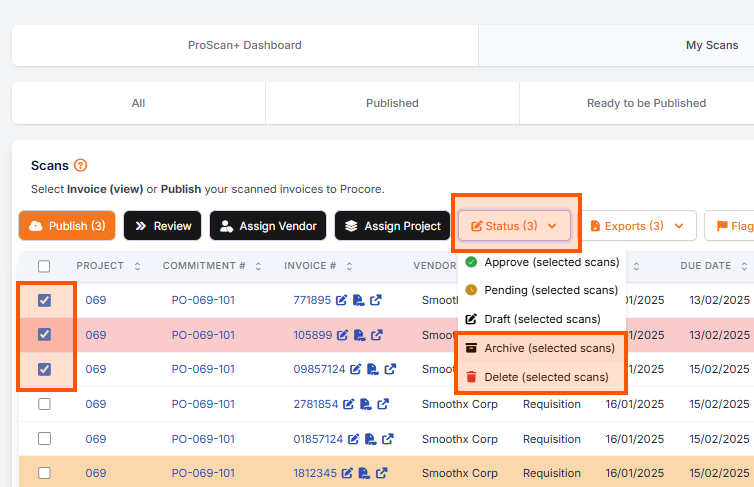
- Tick the scan
- Click the Status button
- Select Archive or Delete
- Archive - Can be used for any scan
- Delete - Can not be used on published scans