![Smoothx_Logo_FC_White_RGB.png]](https://support.smoothx.com/hs-fs/hubfs/Smoothx_Logo_FC_White_RGB.png?height=20&name=Smoothx_Logo_FC_White_RGB.png)
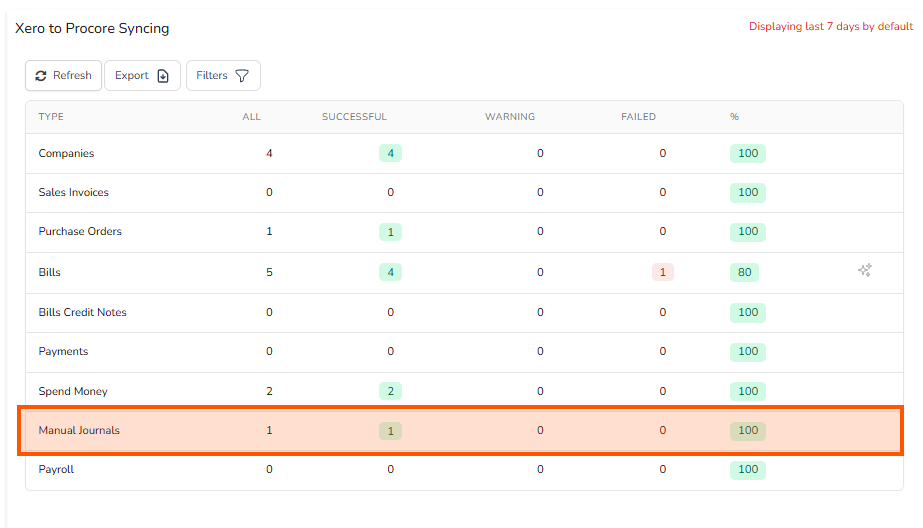
Manual Journals can be synced from Xero to Procore.
Note: You will need to contact Smoothx Support to enabled Manaual Journal Syncing.
Each Manaul Journal can contain costs from different Procore projects. One Procore Direct Cost (Expense) will be create on the relevant mapped projects.
To ensure the journal costs are allocated to the correct Procore Budget Code (Cost Code/Cost Type), one of the following mapping options is required in Smoothx:
-
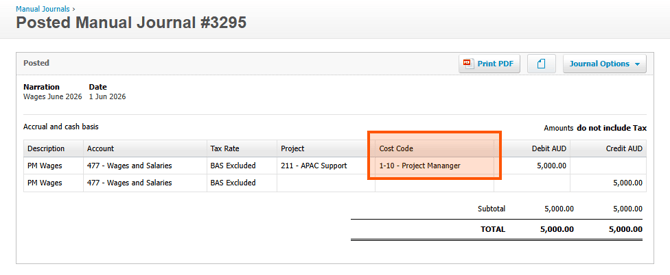
1-to-1 Account Code Mapping with Cost Type Tracking Category
-
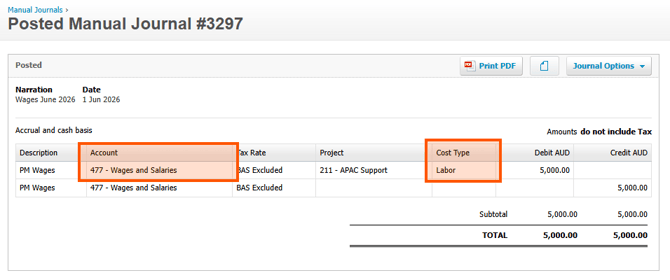
Cost Code Tracking Category with Cost Type Default
Syncing Time to Procore
Manual Journals do not a live sync. They will sync at the top of each hour.
You can manually sync Manual Joural using the Smoothx High Priority Resource Syncing Tools, see Settings - Tools & high Priority Resource Syncing
Smooth Dashboard
You can monitor your Manual Journal Syncing via the Smoothx Dashboard, see Smoothx Dashboard - Syncing Logs
1-to-1 Account Code Mapping with Cost Type Tracking Category
The Xero Chart of Account will be mapped to a specific Cost Code in Procore, see Mapping - Xero Account Codes
The second tracking category in Xero will be use to map to the relevant Procore Cost Type, e.g. Labour.
Note: A Default Direct Cost - Cost Type can be set in Smoothx instead of the second tracking catogory, but note only one cost type option can be applied.
Cost Code Tracking Category with Cost Type Default
The Xero Chart of Account will not be mapped in this set up.
The second tracking category in Xero will be use to map to the relevant Procore Cost Code.
A default Direct Cost - Cost Type must be set in Smoothx, but note only one cost type option can be applied.